Inside the app
See the work.
Follow every step.
Four everyday workflows, recorded in the portal. See what your agent brings back and where you take the next step.
All businesses, records and results in these demos are fictional.
01 / Bookkeeping
Two overdue invoices. One clear next step.
THE BRIEFReview the receivables and draft reminders. Let me approve them before they go out.
- 01
See what needs you
Start with the weekly overview and the decisions waiting for review.
- 02
Read the proposed action
Open Approvals to see the reminders, their context, and why the agent recommends them.
- 03
Give the go-ahead
Use the email reply options to approve, request a change, or leave it. The recording stops before any message is sent.
02 / Commercial real estate
From a lead list to a focused review.
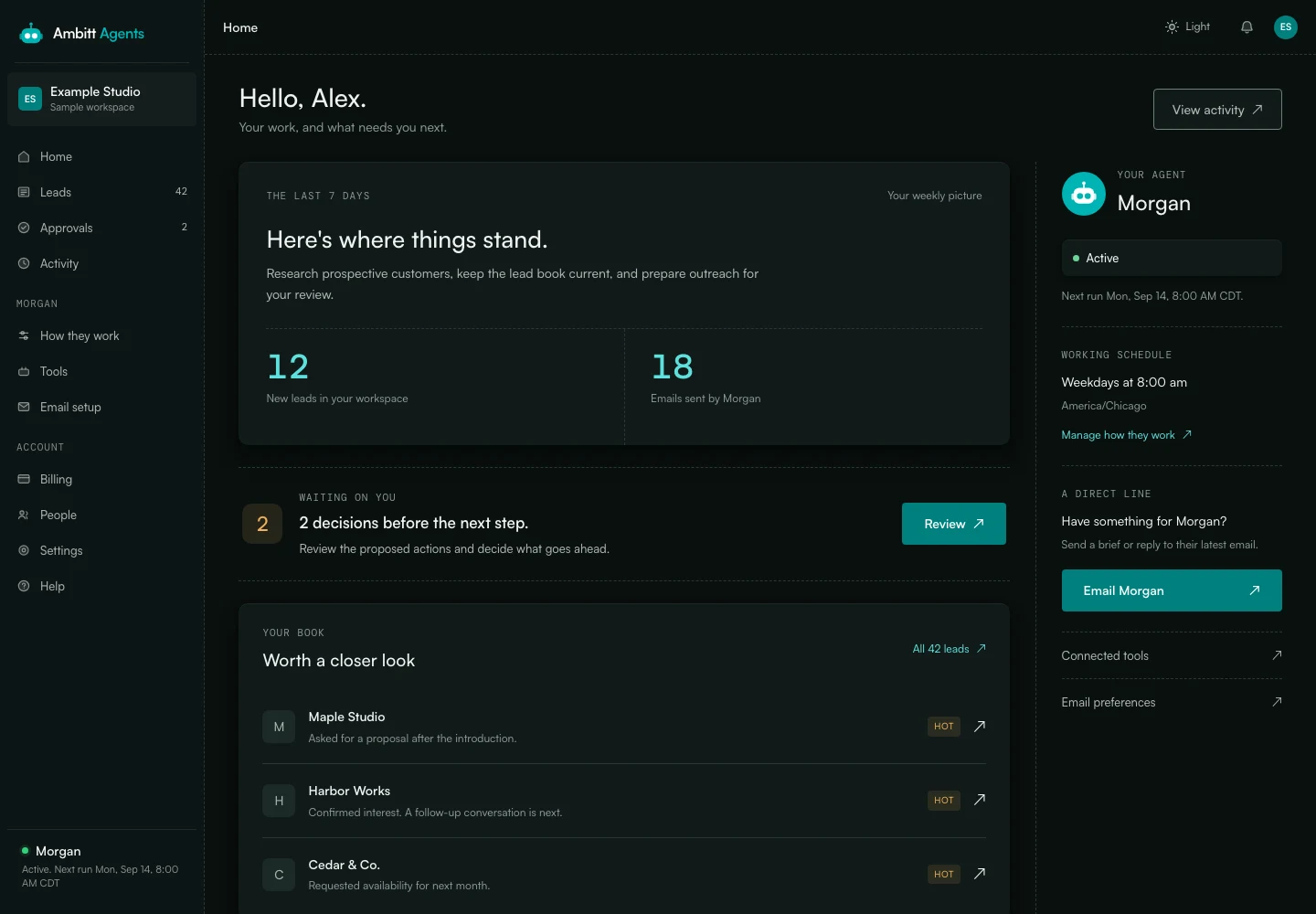
THE BRIEFKeep the property leads organized. Show me what is warm, what is ready, and what needs a decision.
- 01
Check the overview
See new leads and the agent's recent work in Home.
- 02
Follow the opportunities
Open the lead board for priorities, then switch to the table to compare the records and contact history.
- 03
Review the next step
Open the proposed outreach in Approvals. Read the reason before deciding what goes ahead.
03 / Home services · roofing
Keep the follow-up list moving.
THE BRIEFOrganize our existing homeowner enquiries and prepare the next follow-ups for my review.
- 01
Start with the week
Check the leads, emails and decisions in the weekly overview.
- 02
Find who is ready
The lead board groups enquiries by priority and gives a reason for each rating.
- 03
Review the follow-up
Read the proposed next steps in Approvals. Send your decision by email when you are ready.
04 / Tax & accounting
A shorter list of missing documents.
THE BRIEFPrepare reminders for the missing client documents. Show our team the wording and hold them for approval.
- 01
Find the decisions
Home brings the pending reviews together so the team knows where to start.
- 02
Read the context
Approvals shows which documents are missing and the proposed actions for each client.
- 03
Choose the next step
Approve by email, ask for different wording, or decline. No email is sent in the demo.
Your turn
What would you hand over?
Tell us the job and the tools involved. We will work through the setup and the decisions you want to keep.